Location sharing can be useful when someone needs to know where you are during a particular trip, date, walk, shift or journey home.
It does not need to mean leaving your location visible all day.
Temporary location sharing gives a selected person access to relevant location information for a defined purpose and period. You decide why you are sharing, who can see it, when the sharing begins and when it should end.
The right setup depends on what the other person actually needs to know.
They may need:
- A single location pin.
- Your live progress towards a destination.
- An estimated arrival time.
- Awareness during a particular safety situation.
- An immediate alert if circumstances change.
NevaSolo Personal provides different modes for these different moments. You can share an ordinary journey, start a temporary safety session or let someone you trust follow your drive home.
Share the moment, not your whole day
Choose the person, purpose and end point before turning location sharing on.
Download NevaSolo on the Apple App Store
Download NevaSolo on Google Play
How to share your location temporarily
A practical temporary location-sharing plan has five steps:
- Choose the person who needs the information.
- Decide what they need to see.
- Select the right type of sharing.
- Set a clear end point.
- Tell the recipient what, if anything, you want them to do.
This creates a clear agreement rather than simply turning on a location setting and hoping the other person understands why.
What is temporary location sharing?
Temporary location sharing allows another person to access your location during a defined journey, activity or situation.
The access may finish:
- When you arrive at a destination.
- When a trip ends.
- After a selected period.
- When you manually finish a safety session.
- When a temporary sharing link expires.
The important part is that the share has a purpose and an end point.
Temporary location sharing can take several forms.
A single location pin
A location pin shows where you are, or where you intend to meet, at one point in time.
It may be useful when:
- Showing someone a meeting point.
- Arranging a pickup.
- Identifying a venue.
- Directing someone to a particular entrance.
A location pin does not usually update as you move. If you leave the original location, the person receiving the pin may not know that your plans have changed.
Timed live location
Timed live location lets another person follow your movement for a selected period.
It may be useful during:
- A walk through an unfamiliar area.
- A short journey at night.
- A run or outdoor activity.
- A meeting with someone new.
- A situation with a known expected duration.
Before beginning, agree on what should happen when the selected time ends. You may be finished, still travelling or delayed.
Journey and arrival sharing
Journey sharing connects your location to a destination.
Instead of simply seeing where you are, the recipient can understand:
- Where you are going.
- How far away you are.
- Whether you are moving towards the destination.
- Approximately when you will arrive.
This is helpful when someone is waiting for you and does not need to contact you repeatedly for updates.
An active safety session
A safety session is intended for a situation where someone from your existing support network should remain aware.
This may include:
- Meeting someone new.
- Walking home at night.
- Finishing a late shift.
- Meeting an online buyer or seller.
- Travelling alone.
- Feeling uncertain without needing an emergency response.
The person receiving the session should understand why it has been started and what you expect them to do if something changes.
Why choose temporary location sharing?
Some people and families are comfortable using ongoing location sharing. When everyone freely agrees and understands the arrangement, that may suit their needs.
Temporary location sharing is useful when you want a clearer boundary around a particular event.
For example:
- You want a friend to know where you are during a first date, but not throughout the following day.
- You want someone waiting at an airport to follow your arrival journey.
- You want a family member to see your drive home after a late shift.
- You want a trusted person to remain aware while you walk through an unfamiliar area.
- You want to share a run without publishing your regular route.
- You want location access to finish when the journey finishes.
A temporary session helps answer a simple question:
Who needs my location for this moment, and when should their access end?
Choose the right NevaSolo mode
NevaSolo uses different modes because not every location-sharing situation has the same purpose.
Share Trip: let someone see how far away you are
Share Trip is designed for ordinary journey and arrival coordination.
Use it when:
- You are travelling to meet a friend.
- Someone is waiting to collect you.
- You are heading to an appointment.
- A client needs to know when you will arrive.
- You want to avoid repeated “Where are you?” messages.
When you start Share Trip, NevaSolo creates a temporary link. You send that link privately to the person who needs the journey information.
The recipient:
- Does not need the NevaSolo app.
- Does not need to create an account.
- Can see your live trip progress while the journey is active.
- Loses access when the trip finishes.
Share Trip is for coordination rather than safety alerts. It does not record audio, video or photos, and it does not trigger an alarm.
Treat the Share Trip link as private. Send it only to the intended recipient rather than posting it on social media or in a public group.
On your way?
Use Share Trip to show someone your progress until you arrive.
Safety Mode: let someone you trust stay aware
Safety Mode is for moments when you do not need an emergency response but want someone you trust to remain aware.
Use it when:
- Walking home.
- Attending a first date.
- Meeting an unfamiliar person.
- Travelling alone.
- Working late.
- Entering an unfamiliar environment.
- Something feels uncertain, but you are not in immediate danger.
While Safety Mode is active, your selected trusted contacts can see:
- Your live location.
- Your current session status.
Safety Mode does not record audio, video or photos. It does not sound an alarm or escalate the situation automatically. You choose when it starts, who participates and when it ends.
Important: a trusted contact is someone you already know and trust.
They may be a close friend, family member, partner, sibling, housemate or another reliable person from your existing support network.
A new date, unfamiliar buyer, seller, client or stranger involved in the situation should not be used as your trusted safety contact.
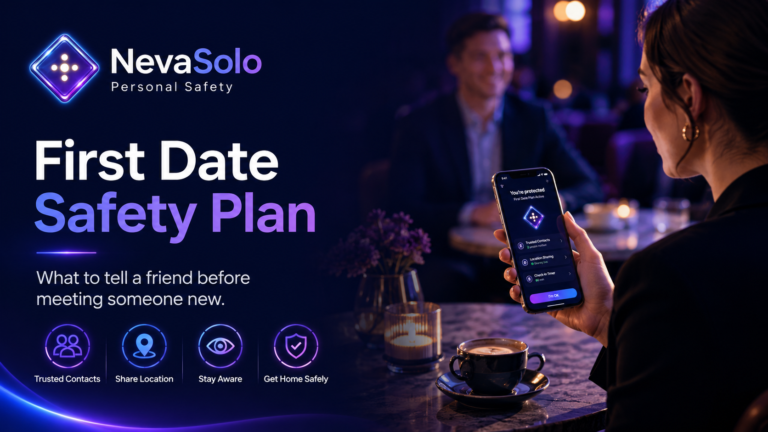
For guidance specifically about meeting a new date, read the First Date Safety Plan.
Drive Home: share your journey until you arrive
Drive Home is designed for a defined journey home.
Use it when:
- Driving home late.
- Leaving work after hours.
- Driving alone.
- Returning from an event.
- Travelling home from an unfamiliar place.
- Letting a trusted person know you are on your way.
While Drive Home is active, your selected trusted contact can see your live location and that you are travelling home.
The session ends when the journey finishes or you arrive. Live location sharing then stops rather than continuing in the background.
Drive Home does not record audio, video or photos, and it does not generate an emergency alert by default.
Share your drive until you arrive
Emergency Mode: escalate when something changes
Emergency Mode is for situations where you need your trusted contacts to pay attention immediately.
When Emergency Mode is activated, NevaSolo can:
- Notify your trusted contacts.
- Share your live location.
- Show that an emergency is in progress.
- Capture audio, video or photos while the emergency is active.
- Give your trusted contacts additional context.
Emergency media capture applies only while Emergency Mode is active. Safety Mode, Share Trip and Drive Home do not record.
NevaSolo helps communicate with your trusted contacts. It does not replace police, ambulance, fire or other emergency services.
If your life or property is in immediate danger, someone is seriously injured or urgent assistance is required in Australia, call Triple Zero on 000.
A Share Trip recipient and a trusted contact are different
The person receiving your location should match the purpose of the share.
A Share Trip recipient
A Share Trip recipient is someone who needs to see your journey progress.
This might be:
- A friend waiting at a restaurant.
- A relative collecting you from an airport.
- A client expecting your arrival.
- Someone waiting for a delivery or appointment.
- The person you are travelling to meet.
The recipient does not automatically become responsible for your safety. Unless you have agreed otherwise, they may simply be following your progress so they know when to expect you.
Because Share Trip works through a temporary link, the recipient does not need a NevaSolo account.
A trusted contact
A trusted contact is someone from your established support network who has agreed to participate in safety sessions.
Choose someone who:
- You already know well.
- Is reliable and available.
- Checks their phone.
- Respects your privacy.
- Can remain calm if something changes.
- Understands what action you expect.
- Has agreed to receive your sessions and alerts.
Trusted contacts need a NevaSolo account to participate in Safety Mode or incident coordination.
The distinction is important:
Use Share Trip when another person needs to know when you will arrive.
Use Safety Mode when someone you already trust should remain aware of your wellbeing.
When is temporary location sharing useful?
Travelling to meet someone
Share Trip can show the other person how far away you are and when you are likely to arrive.
This is suitable for ordinary arrival coordination. If you are meeting someone unfamiliar and also want a safety plan, use Safety Mode with a separate trusted contact you already know.
Going on a first date
Start Safety Mode with a friend, family member or another established trusted contact.
Your date is not your trusted safety contact. They may receive a Share Trip link if you choose to show your arrival progress, but someone from your own support network should receive the safety session.
Driving home after a late shift
Use Drive Home to let a trusted contact follow your journey until you arrive.
Tell them approximately when you expect to be home and whether you want them to take any action if the journey is significantly delayed.
Walking home
Use Safety Mode when you want someone you trust to remain aware during the walk.
Tell your contact:
- Where you are leaving from.
- Where you are going.
- How long you expect the walk to take.
- Whether you want them to check in.
- What they should do if you ask for help.
Solo travel
Different parts of a trip may need different modes.
For example:
- Use Share Trip between the airport and hotel.
- Use Safety Mode during an unfamiliar walk or meeting.
- Use Drive Home when driving.
- Move to Emergency Mode if immediate attention is required.
The session can match the part of the trip you are completing rather than remaining active throughout the entire holiday.
Meeting an online buyer or seller
Use Safety Mode with someone you already know and trust.
The buyer or seller is the person involved in the meeting, not the person responsible for supporting your safety session.
Share the meeting location and expected finish time with your trusted contact before arriving.
Running or exercising alone
A temporary Safety Mode session can cover a particular run, walk or outdoor activity.
This gives a selected trusted contact awareness during the activity without requiring you to publicly post your route or leave ongoing location access enabled after you finish.
Ask these five questions before sharing your location
1. Who can see it?
Choose the recipient carefully.
A person waiting for your arrival may need a Share Trip link. Someone supporting your personal safety should be a trusted contact from your established network.
Avoid sharing location links in public posts, large groups or conversations containing people who do not need access.
2. What can they see?
Clarify whether the recipient will see:
- A single location.
- Live movement.
- A destination.
- An estimated arrival time.
- Safety-session status.
- An emergency alert.
- Emergency media.
The amount of information should match the purpose of the session.
3. When will sharing begin?
Start the session shortly before the relevant trip or activity.
This creates a clear beginning and reduces the chance of sharing location for longer than necessary.
4. When will it end?
Choose an identifiable end point.
This might be:
- Arrival at a destination.
- Completion of a drive.
- The end of a meeting.
- The end of a run.
- Safe arrival home.
- Manual completion of Safety Mode.
If the plans change, update the session or recipient rather than allowing an inaccurate plan to continue.
5. What should the recipient do?
Do not assume the other person understands their role.
Tell them whether you want them to:
- Take no action and simply follow your arrival.
- Message if you are delayed.
- Call at a particular time.
- Check in if the session remains active beyond the expected finish.
- Arrange a pickup.
- Respond immediately if Emergency Mode is activated.
- Contact emergency services if there is immediate danger.
Location information tells them where you are. A response plan tells them what to do with that information.
Location sharing should be your choice
Location sharing can support independence, coordination and personal safety when it is freely chosen.
You should understand:
- Who can access the information.
- Why they need it.
- How long they will have access.
- How to end the share.
- Whether the information continues after the activity.
You should also be able to change your mind.
Being pressured, threatened or forced to share your location is not meaningful consent. An expectation that a partner or another person should be able to monitor you whenever they choose may form part of a wider pattern of controlling behaviour.
If a location-sharing arrangement no longer feels comfortable:
- Review who currently has access.
- End active sharing where it is safe to do so.
- Remove recipients who no longer need access.
- Review location permissions on your phone and apps.
- Change relevant account passwords where appropriate.
- Seek specialist support if you believe someone is monitoring or controlling your devices.
If changing a setting may alert someone and place you at risk, use a safer device and review the eSafety Commissioner’s location-sharing guidance before making changes.
How NevaSolo supports temporary location sharing
NevaSolo is built around user-initiated trips, safety sessions and emergencies.
According to the NevaSolo Privacy Policy, location information is collected during active safety sessions, trips or incidents started by the user. Location is not continuously collected or shared outside those active sessions.
The information visible during a session may include:
- Live location.
- A trip destination.
- Estimated arrival time.
- Session status.
- Emergency context when Emergency Mode is explicitly activated.
Access is limited to the people authorised for that session, such as selected trusted contacts or recipients of a Share Trip link.
How to use Share Trip
Use Share Trip when another person needs to follow your ordinary journey or arrival.
Before leaving
- Decide who needs the journey information.
- Confirm your intended destination.
- Estimate when you expect to arrive.
- Tell the recipient whether any action is required if you are delayed.
Start the trip
- Open NevaSolo Personal.
- Select Share Trip.
- Start the temporary trip session.
- Send the secure link privately to the intended recipient.
During the trip
The recipient can use the link to see your live progress while the trip is active.
You do not need to send repeated location updates unless the destination or plan changes.
When you arrive
Finish the trip if it has not already ended automatically.
The link stops providing live access when the trip ends.
How to use Safety Mode
Use Safety Mode when someone from your existing trusted network should remain aware during a specific situation.
Set up beforehand
- Download NevaSolo Personal.
- Create your account.
- Add your trusted contact.
- Ask them to create their NevaSolo account.
- Agree on the expected duration and response plan.
- Confirm that notifications and location permissions are enabled.
Start the session
- Open NevaSolo Personal.
- Select Safety Mode.
- Choose your trusted contact or contacts.
- Start the session shortly before the activity begins.
While Safety Mode is active
Your trusted contact can see your live location and current session status.
Tell them if:
- Your destination changes.
- The activity will take longer than expected.
- You no longer require a check-in.
- You want them to call.
- You need help arranging transport.
End the session
End Safety Mode when the activity and any relevant journey are complete.
Live location sharing and session visibility then stop.
How to use Drive Home
Use Drive Home for a defined driving journey.
Before driving
- Choose the trusted contact who should see the journey.
- Confirm where you are travelling.
- Tell them approximately when you expect to arrive.
- Decide whether you want them to take any action if you are delayed.
Start Drive Home
- Open NevaSolo Personal.
- Select Drive Home.
- Choose the relevant trusted contact.
- Start the journey before driving.
Avoid handling or checking the phone while driving.
When you arrive
The Drive Home session ends when the journey finishes or you arrive.
Live location sharing then stops, and nothing continues in the background.
What should the person receiving your location do?
The recipient’s role depends on the mode.
During Share Trip
The recipient may only need to:
- Follow your progress.
- Know when you are close.
- Prepare for your arrival.
- Contact you if the journey is substantially delayed.
No safety response is implied unless you have specifically agreed on one.
During Safety Mode
Your trusted contact should know:
- Why the session is active.
- How long you expect it to last.
- When to message or call.
- What a missed check-in means.
- What to do if you ask for help.
- How to respond if the session escalates.
During Drive Home
Your trusted contact should know:
- Your expected destination.
- Your approximate arrival time.
- Whether they should contact you after an unexpected delay.
- What to do if Emergency Mode is activated.
During Emergency Mode
Your trusted contacts should understand that immediate attention is required.
They may be able to see your live location and emergency context. They should use the available information to follow the response plan and contact emergency services directly when urgent assistance is needed.
How to stop location sharing when the moment is over
Ending access is part of temporary location sharing.
When the journey or situation is complete:
- Confirm that you have arrived or finished.
- End any session that has not finished automatically.
- Tell the recipient that the session is complete.
- Check that live updates are no longer visible.
- Review the recipient list when relationships or circumstances change.
- Periodically review your phone and app location permissions.
With NevaSolo:
- Share Trip ends when you arrive or finish the trip.
- Drive Home ends when the journey finishes or you arrive.
- Safety Mode ends when you finish the session.
- Emergency Mode stops creating new location updates and media when the emergency is ended.
Arrived safely?
Finish the session and return your live location to private.
What happens if the situation changes?
The mode you begin with does not have to remain the right mode throughout the situation.
For example:
- Start Share Trip while travelling to a destination.
- Move to Safety Mode if you want an established trusted contact to become more aware.
- Activate Emergency Mode if something changes and immediate attention is required.
You remain responsible for contacting emergency services directly when urgent assistance is needed.
The principle is simple:
Start with the mode that fits the current moment, then escalate when the situation changes.
Copy and send this Share Trip message
Hey [name], I’m on my way to [destination].
I’ve shared a temporary NevaSolo Share Trip link so you can see my progress. I expect to arrive at around [time].
[No action is needed / Please message me if I have not arrived by [time].]
The link will stop working when the trip ends.
Copy and send this Safety Mode message
Hey [name], I’m starting NevaSolo Safety Mode while I [walk home / attend this meeting / complete this activity].
I expect to finish at around [time]. You will be able to see my live location and session status while it is active.
Please [message me at [time] / call if the session is still active after [time] / take no action unless I contact you].
If I activate Emergency Mode, please [agreed response].
I’ll let you know when I have finished and will end the session.
Temporary location-sharing checklist
Before sharing
- Decide why you are sharing your location.
- Choose the appropriate recipient.
- Decide whether they are a Share Trip recipient or a trusted contact.
- Confirm what information they need.
- Choose the mode that fits the situation.
- Set an expected destination, duration or end point.
- Tell the recipient what action you expect.
- Charge your phone.
- Check location and notification permissions.
- Send any temporary link privately.
While sharing
- Keep the session active only while it remains useful.
- Update the recipient if the destination changes.
- Update the expected arrival or finish time.
- Keep Share Trip links out of public posts and groups.
- Move to a different NevaSolo mode if the situation changes.
- Contact emergency services directly when urgent help is required.
After the journey or activity
- Confirm that you have arrived or finished.
- End any session that remains active.
- Check that live updates have stopped.
- Tell the recipient that the session is complete.
- Review your trusted contacts and sharing permissions periodically.
Frequently asked questions
Can I share my location for only one trip?
Yes. Share Trip is designed for a particular journey.
The recipient receives a temporary link that works while the trip is active. Access ends when the trip finishes.
Does the other person need the NevaSolo app?
A Share Trip recipient does not need the app or a NevaSolo account. They can view the journey through the temporary link you send them.
Trusted contacts need a NevaSolo account to participate in Safety Mode or incident coordination.
Can the person I am meeting receive my Share Trip?
Yes, when the purpose is ordinary arrival coordination.
For example, you may send a Share Trip link to show that you are on your way to meet them.
That does not make the person your trusted safety contact. For a date or meeting with someone unfamiliar, your Safety Mode contact should be someone from your existing support network whom you already know and trust.
Does NevaSolo track my location all day?
NevaSolo’s privacy policy states that location information is collected during active safety sessions, trips or incidents initiated by the user.
It does not continuously collect or share location outside those active sessions.
Can I stop sharing before the expected end time?
Yes. You control active sessions and can finish a session when it is no longer needed.
Share Trip and Drive Home are also designed to end with the relevant journey.
What can a Share Trip recipient see?
A Share Trip recipient may see limited trip information such as:
- Your real-time location during the trip.
- Your destination.
- Your estimated arrival time.
- Your trip status.
The access is temporary and ends when the session finishes or shortly after arrival.
Does Safety Mode record audio or video?
No. Safety Mode shares live location and session status with your selected trusted contacts.
It does not record audio, video or photos.
Media capture may occur only when you explicitly activate Emergency Mode.
When should I use Emergency Mode?
Use Emergency Mode when something has changed and you need your trusted contacts to pay attention immediately.
It can notify them, share your live location and capture audio, video or photos while the emergency is active.
Call Triple Zero on 000 if you are in immediate danger in Australia.
Does NevaSolo automatically contact emergency services?
No. NevaSolo is a communication and coordination platform. It helps you share information with trusted contacts but does not replace police, ambulance, fire or other emergency services.
Contact emergency services directly when urgent assistance is required.
Is temporary sharing always better than ongoing sharing?
The appropriate choice depends on the relationship, purpose and agreement between everyone involved.
Temporary sharing is useful when you want a clear purpose, selected recipient and defined end point. Ongoing sharing may suit people who have freely agreed to a different arrangement.
The important factors are consent, transparency and control.
What should I do if someone pressures me to share my location permanently?
Location sharing should be freely chosen.
Review who has access, your device permissions and your connected accounts. If changing settings may create a risk, use a safer device and seek specialist support before making changes.
The Australian eSafety Commissioner provides guidance about location sharing, coercive control and reviewing digital safety settings.
Share your location for the moments that matter
Temporary location sharing should answer four questions clearly:
- Who can see you?
- What can they see?
- Why are you sharing?
- When will their access end?
NevaSolo Personal gives you different tools for different situations.
Use Share Trip when another person needs your journey progress. Use Safety Mode when someone you already know and trust should remain aware. Use Drive Home for a defined journey home. Move to Emergency Mode when circumstances change and immediate attention is required.
You choose when each session begins and when the moment is over.
Download NevaSolo on the Apple App Store
Download NevaSolo on Google Play
Explore all NevaSolo Personal features
Helpful Australian resources
- Location-sharing guidance from the eSafety Commissioner
- Information about coercive control from the eSafety Commissioner
- Read the NevaSolo Privacy Policy
- Learn when and how to call Triple Zero
Important: NevaSolo is a communication and coordination platform. It does not provide emergency services, guarantee safety outcomes or offer staffed real-time monitoring. In a life-threatening or time-critical emergency in Australia, call Triple Zero on 000.

0 Comments