Connect guards to the clients they protect. Make the work behind your security contract easier to see.
Security guard management software helps security companies coordinate guards, incidents, patrols and client reporting. Its commercial value becomes clearer when the people paying for security can understand what was reported, who responded and what happened next.
Your team may handle incidents, complete scheduled checks and assist client staff throughout a shift. At the next contract review, can you show that work through reliable records, or does someone need to reconstruct it from calls, messages and individual recollections?
NevaSolo Enterprise connects security providers and guards with participating clients, tenants, staff, centre management and authorised brand head offices. Managers oversee their permitted operational scope while client users see the information relevant to their own locations and responsibilities.
For a security-company owner or operations manager, that creates a practical opportunity: make the service easier to use, its delivery easier to review and its value easier to explain.
This guide covers seven ways to build that proposition, followed by a worked example, a software checklist and a one-contract rollout plan.
See a connected security operation in practice or request a security-provider demo.
In this guide
- What the software should do
- 1. Client visibility
- 2. Patrol and service evidence
- 3. Client-to-security response
- 4. Better client reporting
- 5. Multi-contract oversight
- 6. Tender differentiation
- 7. Ongoing client value
- A connected-contract example
- Software buying checklist
- Start with one contract
- FAQs: features, pricing and rollout
- Request a provider demo
What is security guard management software?
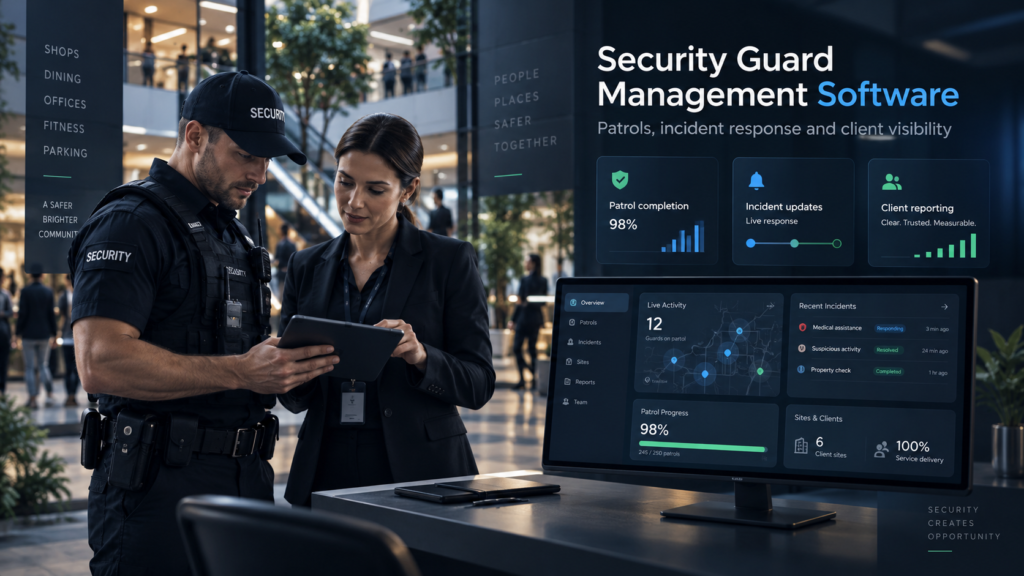
Security guard management software brings frontline security activity into a shared operational system. Depending on the platform, it can cover guard assignments, shifts, patrols, checkpoint records, incident response, supporting media, reporting and client access.
For your company, start with the contract you need to deliver. A mobile patrol operator needs useful records of scheduled visits and checkpoints. A guarding team needs a clear incident-response process. A multi-site provider needs visibility across the locations its managers are responsible for.
NevaSolo connects those operational needs to the client relationship. Authorised client staff can raise incidents into the agreed response process, guards can handle assigned work, and managers can review the relevant activity.
The buying question is: can your team coordinate the work and show the appropriate client what was delivered?
1. Give clients a clearer view of their security service
Give authorised client users a way to follow relevant incidents as reports and updates become available. Start by deciding what each participant needs to see.
| Participant | Relevant view |
|---|---|
| Security manager | Incidents and operational activity within the provider-managed sites or areas they oversee. |
| Centre or property manager | The incidents and response information permitted for their managed location. |
| Tenant or store manager | Relevant incidents involving their own tenancy or store, according to permissions. |
| Client staff member | Reports and response updates they are authorised to access. |
| Retailer head office | Incidents within its explicitly assigned portfolio and permitted scope. |
During setup, demonstrate the same incident through the client and provider accounts. This makes the access boundaries tangible and establishes what the client can expect to follow.
Australia’s privacy regulator recommends need-to-know access to personal information, based on a person’s role or function. Apply that principle when agreeing who receives incident details, media and operational updates.
For the client, the benefit is knowing where to find the relevant response. For your company, it is a way to make everyday service delivery visible.
Explore the client-side context in our guide to improving shopping centre communication.
2. Document patrols and the work your team completes
Security patrol management software should help managers review the scheduled work, the recorded activity and any exceptions that require explanation.
A client asking whether a patrol was completed needs more than a tick. The record should identify the relevant location, scheduled requirement, recorded checkpoint activity and any notes or supporting evidence.
| Client question | Information to review |
|---|---|
| Was the required work completed? | The scheduled patrol requirement and its recorded completion or exception status. |
| When was the activity recorded? | Relevant timestamps, interpreted in the site’s agreed time zone. |
| Which checkpoints were covered? | The required checkpoints and available records for each one. |
| What did the guard identify? | Observations, relevant incident references, notes and permitted supporting media. |
| What needs follow-up? | Missed or incomplete activity and the manager’s review of the circumstances. |
NevaSolo’s patrol and checkpoint functionality supports this evidence-led review. During the demonstration, inspect a completed patrol and an incomplete one, including the supporting information available to the manager.
Review timestamps and submitted media alongside the work requirement and any connectivity or reporting gaps. Agree what the records establish before using them as evidence of a contractual service level.
Make the monthly service review a discussion of documented delivery, exceptions and action taken.
3. Connect client reports directly to the security response
Effective security incident management gives the person raising an issue a clear reporting route and gives the responding team enough information to act.
In NevaSolo, authorised client staff or tenants can create an incident with location and context. The relevant response arrangements determine notification and assignment. A permitted responder accepts responsibility, records updates and adds relevant notes or media; an authorised user records resolution.
Report → assign → accept → update → resolve → review.
The UK Health and Safety Executive identifies complicated reporting procedures and a belief that nothing will happen as reporting barriers. Its guidance recommends a quick, usable recording process and demonstrating action on what is reported.
Build that follow-through into client onboarding. Show staff how to raise an issue and how to find the updates they are permitted to see.
Report acceptance time and on-site attendance separately. An accepted assignment records responsibility; attendance needs its own appropriate record. Establish the start and end events before comparing response performance.
Continue to follow the site’s emergency procedures and contact local emergency services directly when urgent assistance is required.
See how NevaSolo’s incident workflow works.
4. Make client reporting useful at contract reviews
A useful security report connects the work performed to the questions the client needs answered. Use incident and patrol records to explain delivery, exceptions and recommendations.
| Review item | What to show and discuss |
|---|---|
| Incidents handled | Relevant types, locations, response history and recorded outcomes for the reporting period. |
| Response performance | Clearly defined acceptance or attendance measures, with unanswered reports and data gaps visible. |
| Patrol delivery | Required and completed work, checkpoints, exceptions and permitted supporting evidence. |
| Recurring issues | Documented patterns worth investigating, with location and operating context. |
| Next actions | Who will address outstanding matters and what the next review should examine. |
Use the actual reporting views and records available to your role. Demonstrate any required report or export format before including it in a proposal. A tailored client-review pack may combine those outputs with the manager’s analysis.
Put numbers in context. An incident count needs a reporting period and location scope. A patrol-completion percentage needs the number of patrols due and the treatment of cancellations or substitutions. A change in reports should be considered alongside participation and service changes.
That gives your account manager a stronger conversation: what your team handled, what the records show and what the provider and client should do next.
5. Oversee multiple contracts with clearer priorities
As your portfolio grows, organise management attention around the work that needs a decision: incidents awaiting ownership, incomplete patrol activity and relevant shift or coverage issues.
NevaSolo gives security managers visibility within their managed scope. Keep each client relationship and permitted area explicit, whether the contract covers a whole venue, selected locations or a particular service arrangement.
Use that view to decide which supervisor to contact and which record to review. A manager should be able to trace an item back to its site, responsibility and latest recorded information.
WorkSafe Victoria recommends accessible reporting for large organisations and reviewing incident trends across multiple sites where relevant. Its guidance concerns aggression and violence; the practical lesson for a provider is to make useful incident information available for the appropriate organisational review.
At client meetings, distinguish the provider’s permitted operational view from the customer’s own view. A client should receive the information appropriate to its contract and organisation.
For retailer clients, see how brand head-office oversight fits alongside the local response.
6. Make your tender promises demonstrable
Turn commitments about communication, supervision and reporting into a workflow a prospective client can inspect.
In a tender presentation, show how an authorised employee reports an issue, how the guard accepts responsibility and what the client’s manager can follow. Then show an appropriate patrol record and the reporting available for review.
the UK Security Industry Authority’s guidance for security buyers recommends considering the quality of a contractor’s tender response and its reputation alongside assessment information. This is UK contractor-selection guidance; software capability is one part of the wider service proposal.
Describe the offer in concrete terms:
“We will agree how your authorised staff report incidents, configure the relevant response relationships, and show your management team how to follow permitted incidents and review service records.”
Support that promise with the proposed staffing, supervision, training, procedures and commercial scope. Identify who onboards client users and who maintains access as personnel change.
NevaSolo can be part of the service you demonstrate, alongside the people and operating standards that deliver it.
7. Give clients a continuing reason to value your service
Use the connected workflow throughout the contract, so the renewal discussion reflects an established working relationship.
Client staff know how to request assistance. Their managers can follow relevant incidents. Your account manager can review patrol activity, recorded responses and matters needing attention with the client.
Make that review regular. Ask whether staff can use the process, whether updates are useful and whether repeated issues require a change in the security arrangements.
Document agreed improvements and return to them at the next meeting. That creates a record of how the provider responds to the client’s needs as well as the incidents themselves.
For an owner defending a contract’s value, the strongest case is specific: work delivered, issues handled, service gaps addressed and useful support provided.
Earn renewal through a service the client understands, uses and values.
What does a connected security operation look like?
Illustrative example: the participating users, locations, permissions and service relationships below have been configured. This is a workflow example, not a customer-results claim.
Your company provides security at a shopping centre. An authorised employee reports an access problem near a store’s entrance and requests assistance.
The report identifies the location and relevant context. It reaches the configured security response process, and the assigned guard accepts responsibility. The guard records relevant updates while handling the situation under the site’s procedures.
Your security manager follows the response within the provider’s permitted scope. Centre management and the store’s authorised users receive the incident information their roles allow. The retailer’s head office can follow it where the location and incident fall within its assigned portfolio.
An authorised user records the outcome. Your team can then use the incident history during the service review, alongside relevant patrol records and agreed follow-up.
US OSHA guidance for multi-employer worksites emphasises agreed communication and coordination between employers and contractors, including how incidents or safety concerns are reported. The operating relationships determine its application.
The commercial difference is the connection: your security service becomes easier for participating clients and their staff to access and understand.
Bring one client contract. See the whole connection.
Walk through a client report, guard response, patrol record and authorised client view using your proposed operating structure.
Request a security-provider demo
What should security guard management software include?
Choose security guard management software by testing the work your company needs to perform. Use one realistic guarding or patrol contract as the demonstration agenda.
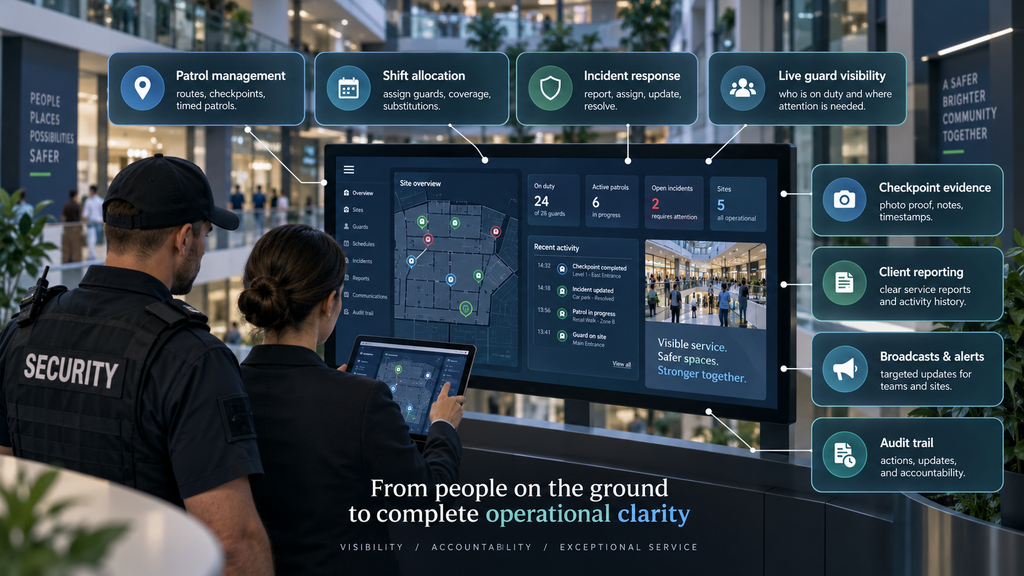
| Capability | Ask the supplier to demonstrate |
|---|---|
| Client-to-security reporting | An authorised client employee reporting an issue into the agreed response process. |
| Guard mobile access | A guard accepting work and adding an update from the mobile app. |
| Patrol and checkpoint records | Scheduled requirements, completed records, exceptions and supporting context. |
| Shift and coverage management | How permitted managers review and manage the operational assignments relevant to the site. |
| Multi-site oversight | A manager reviewing only the locations and service areas they are authorised to oversee. |
| Client permissions | The same incident through provider, client, tenant and authorised head-office accounts. |
| Reporting and records | The actual report views, history and export options relevant to your contract. |
| Practical adoption | User setup, training, access changes and the process for connectivity or device problems. |
Include the guards and a client representative in the evaluation. Ask them to complete their part of the scenario and identify where the procedure needs clarification.
Agree data access, retention, permitted sharing and any integration requirements during scoping. Verify the required workflow and output rather than relying on a feature label.
Use our Enterprise incident-management use cases to identify a suitable demonstration scenario.
How do you start with one security contract?
Begin with a client, site or patrol operation where reporting, service evidence or client visibility creates a clear opportunity to improve the working relationship.
Agree the people, responsibilities and setup
Identify the participating guards, security manager and client users. Map their locations and permissions, agree the response pathway, configure the relevant patrol or shift requirements, and practise a routine incident.
Include the agreed fallback communication route, device and notification checks, and responsibility for onboarding and access changes.
Measure the change against your current process
Record a baseline for the time spent finding incident updates and preparing a client review. During the pilot, assess time to accepted responsibility, incomplete records, patrol exceptions, participation and the client’s awareness of outcomes.
Use the same definitions and comparable operating periods. Agree the commercial scope, onboarding support, report requirements and review date before expanding.
The decision should be grounded in your own operation: can guards use the workflow, can managers follow the work, and does the client gain useful visibility?
Security guard management software FAQs
What is security guard management software?
Security guard management software helps providers coordinate frontline security work, including assignments, patrols, incidents and reporting. For a client-connected operation, assess how it also supports authorised client reporting, response visibility and review of the service delivered.
How does security patrol management software fit into guard management?
Security patrol management software focuses on scheduled patrol work, checkpoints, completion records and exceptions. It is one part of the broader operation. NevaSolo connects patrol activity with incident handling and authorised management oversight, according to the configured service and permissions.
Can our clients and their staff report incidents to our security team?
Authorised client staff and tenant users can report incidents through NevaSolo’s configured workflow. Agree the participating locations, service relationships, notification arrangements and assignment process before rollout. Demonstrate how the reporting user follows the information they are permitted to see.
Can we measure guard response times?
Review the event timestamps available for your workflow and agree the measure you need. Time to acceptance and time to verified on-site attendance describe different events. Check how each is recorded, how unanswered reports are treated and which report views support the comparison.
Can a client see our other contracts or another tenant’s incidents?
Client access should be configured around the organisation, locations and incidents the user is authorised to access. NevaSolo uses role- and scope-based permissions. Test provider, tenant, centre and head-office accounts during setup, including the boundaries between unrelated clients.
Can we keep our radios, payroll and existing business systems?
Keep the systems required for voice communications, payroll and business administration, and define where the connected incident workflow fits. List any integration or export requirements during scoping and verify each one. Agree which duplicate reporting steps can be removed from the operational process.
What should we check on guards’ phones and at low-connectivity sites?
Test the relevant mobile workflow on the devices your guards use, including permissions, notifications and access changes. Check what is available during a connection interruption and what appears after reconnection. Keep a tested fallback route in the site’s operating procedures.
Will this help us win tenders or retain security contracts?
It can strengthen the service you demonstrate through client participation, patrol records, response visibility and useful reporting. Tender and renewal decisions also depend on staffing, service quality, price and the buyer’s requirements. Use verified operational results to support the commercial case.
How much does NevaSolo Enterprise cost for a security company?
Request a scoped proposal based on your locations, guards, patrol requirements, client relationships and reporting needs. Ask which users and workflows are included, who handles onboarding and what terms apply as sites are added. Discuss any available partnership arrangements directly with NevaSolo.
Can we use it across sites in different countries?
Provide the countries, device and language requirements, response arrangements and data-handling requirements during scoping. Assess each proposed rollout against supported capabilities and applicable local requirements, including time zones, retention, access and support arrangements.
How do we see NevaSolo working with one of our contracts?
Request a security-provider demonstration with your company name, approximate site count and a description of one guarding or patrol contract. Bring a recent reporting or coordination problem and walk through the provider, guard and authorised client experience.
Make your security service easier for clients to value
Choose one existing contract. Can you show the client what was reported, who accepted responsibility, what patrol work was recorded and what outcome followed?
Use any gaps as the agenda for a practical demonstration.
NevaSolo Enterprise connects your security company and guards with participating clients, staff, tenants and authorised head offices. It helps turn frontline activity into a coordinated service that the appropriate people can follow.
Show clients the work behind their security contract.
Bring one contract and one coordination problem. Explore the incident response, patrol evidence and client visibility your proposed setup needs.

3 Comments
Retail Incident Management Software: 7 Essential Ways Head Office Gains Better Oversight · 11/10/2026 at 10:20 am
[…] a familiar situation. An employee reports an incident to a store manager. Local security responds. A regional manager receives a message and forwards an update to head office. When someone asks who […]
Shopping Centre Communication: Connect Tenants & Security · 11/10/2026 at 10:20 am
[…] centre manager, the opportunity is to spend less time relaying messages between businesses. For the security manager, it is to make the team’s work visible. For the tenant, it is to know where to turn and how to […]
Pub Incident Reporting: An Owner’s Guide to Better Control · 11/10/2026 at 2:32 pm
[…] guide to security guard management software explains the provider’s side of client reporting and […]